Daten erfassen oder hochladen
Erfassen Sie Details direkt im Portal oder laden Sie eine Excel- oder CSV-Liste für mehrere personalisierte Versionen hoch.
ClickToPrint / Daten zu Druck
Mit ClickToPrint werden Ihre Daten zu personalisierten Drucksachen. Freigegebene Vorlagen halten jedes PDF in Ihrem Corporate Design. Ihr Team prüft und bestellt online – inklusive Produktion und Lieferung.
Ihre Daten
Details erfassen oder Listen hochladen
Ihr Design
freigegebene Vorlagen sichern Ihren Auftritt
Druckfertige PDFs
automatisch aus Ihren Daten erstellt
Von Daten zu PDF
ClickToPrint verbindet wechselnde Informationen mit Ihrem freigegebenen Layout und erstellt daraus druckfertige PDFs. Ob ein einzelner Name oder ein ganzes Team: Jede Version folgt denselben Gestaltungsregeln, ohne das Layout neu aufzubauen.
Erfassen Sie Details direkt im Portal oder laden Sie eine Excel- oder CSV-Liste für mehrere personalisierte Versionen hoch.
Logos, Schriften, Layouts und fixe Texte bleiben gesperrt. Nutzende bearbeiten nur erlaubte Felder wie Name, Funktion, Telefon, Filiale oder Standort.
Bestellungen werden bei Bedarf an Marketing, Office Management, Einkauf oder Filialverantwortliche weitergeleitet.
Ihre freigegebene Bestellung geht in Produktion und wird an die richtige Adresse geliefert. Gespeicherte Aufträge erleichtern die nächste Bestellung.
Ein Ablauf, viele Anwendungen
Wenn das Design gleich bleibt und sich die Informationen ändern, bringt ClickToPrint beides zusammen. Beginnen Sie mit den Drucksachen, die Ihr Team am häufigsten braucht.
01
Mitarbeitende bestellen Visitenkarten online, ohne Daten, PDFs oder Korrekturen per E-Mail an Marketing zu schicken.
02
Briefpapier, Couverts, Grusskarten, Etiketten und weitere CI-konforme Drucksachen zentral standardisieren.
03
Print-Pakete für neue Mitarbeitende, Vertriebsteams oder neue Standorte mit wiederholbaren Vorlagen und Bulk-Bestellungen vorbereiten.
04
Druckbestellungen für Abteilungen, Filialen, Franchise-Strukturen, Ärztenetzwerke, Verbände oder öffentliche Institutionen zentralisieren.
05
Alte Vorlagen entfernen, neue CI-konforme Vorlagen veröffentlichen und alle Standorte nach einem Rebranding auf Kurs halten.
06
Sie haben ein weiteres Dokument, das sich je nach Person oder Standort ändert? Wir besprechen mit Ihnen, wie daraus ein wiederholbarer Vorlagenprozess wird.
Funktionen
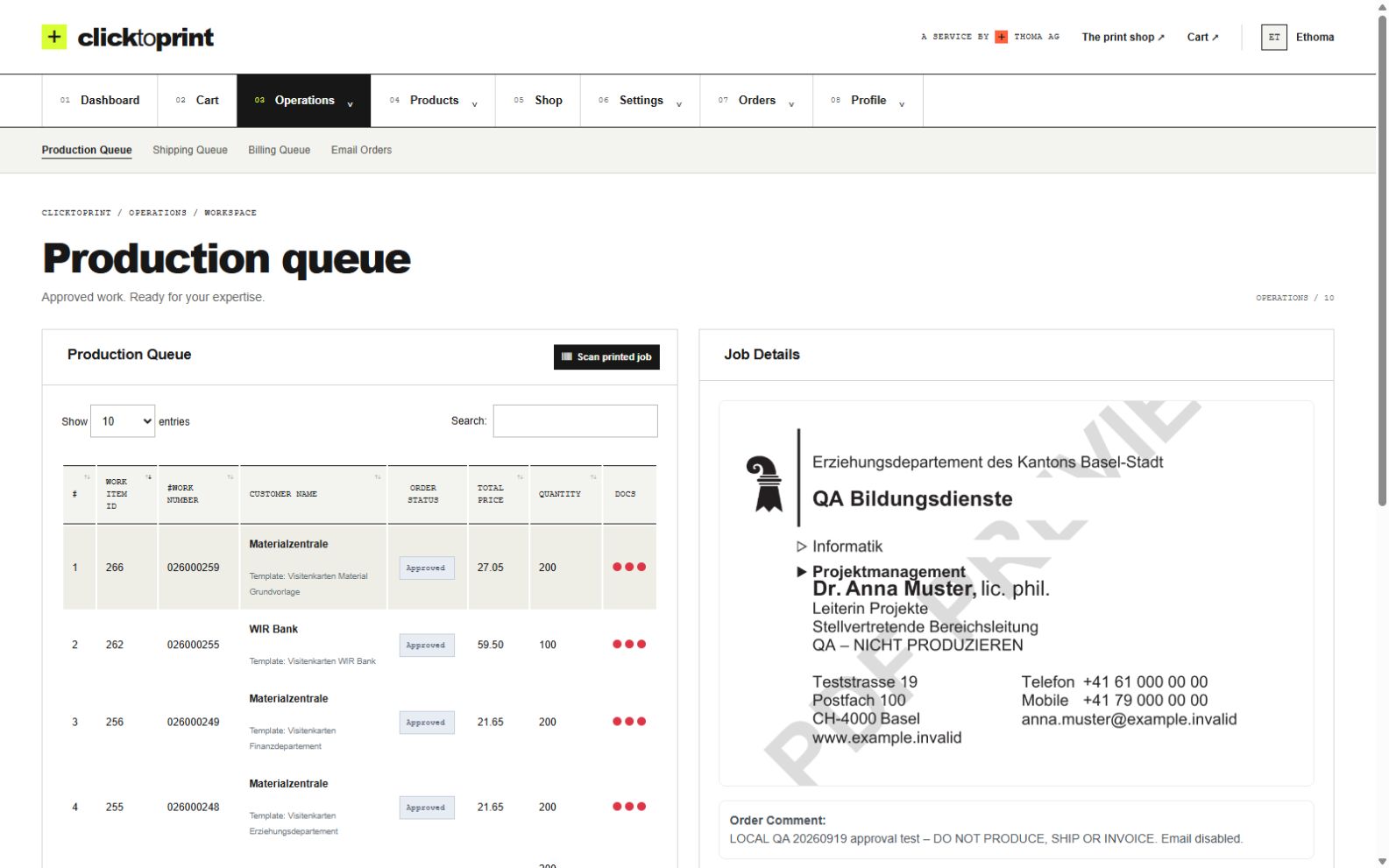
Das Layout bleibt geschützt, während Ihr Team die Informationen aktualisiert. Prüfen Sie jede Version vor dem Druck in der Vorschau.
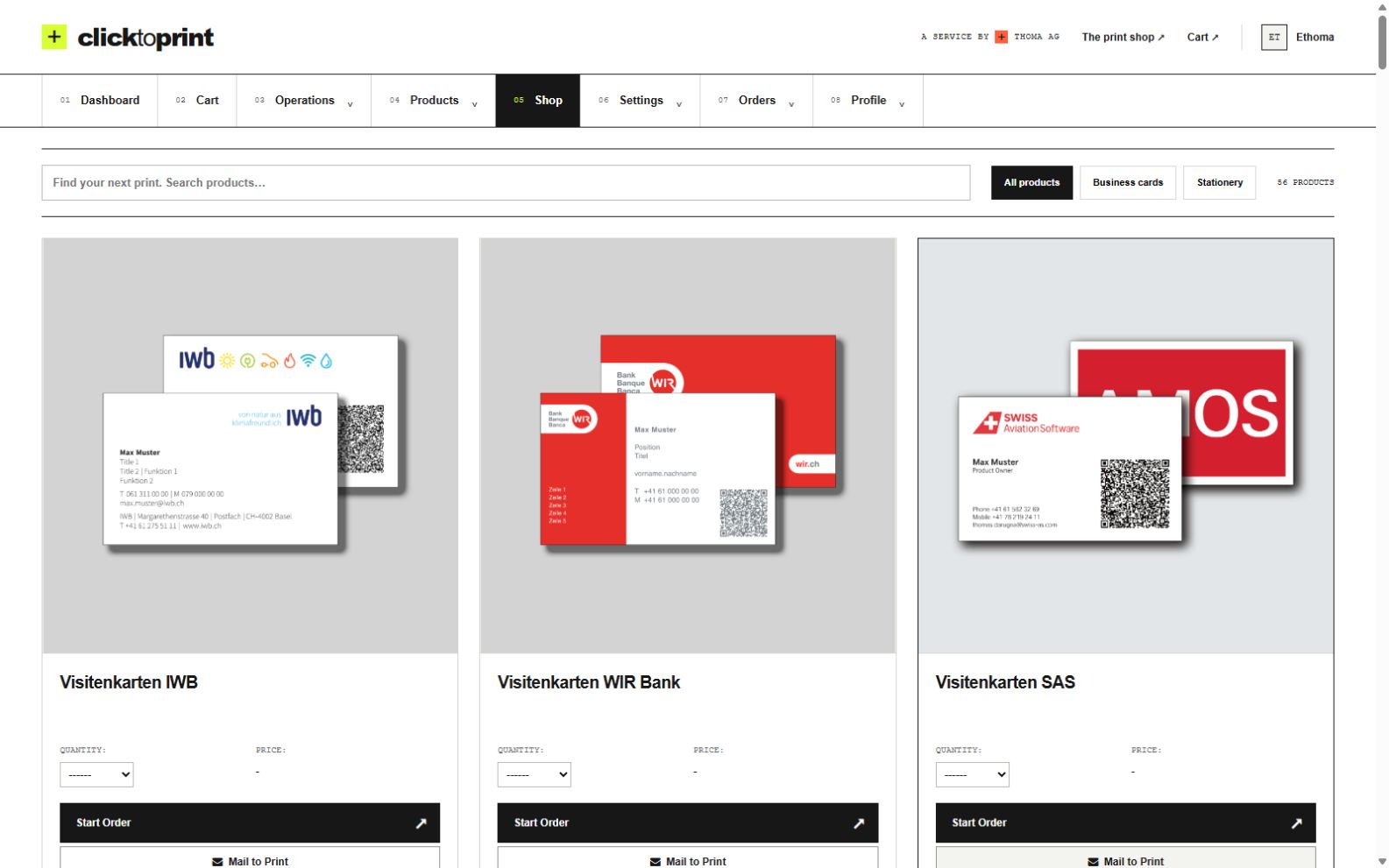
Für wen ClickToPrint passt
Für Marketing, HR und Teams an mehreren Standorten: ClickToPrint vereinfacht wiederkehrende, personalisierte Drucksachen. Von der ersten Dateneingabe bis zum fertigen Produkt bleibt alles in einem Workflow.
Ablauf
Informationen erfassen, Ergebnis prüfen und bestellen. ClickToPrint verbindet Daten, PDF-Erstellung und Druckbestellung in einem Workflow.
Schritt 01
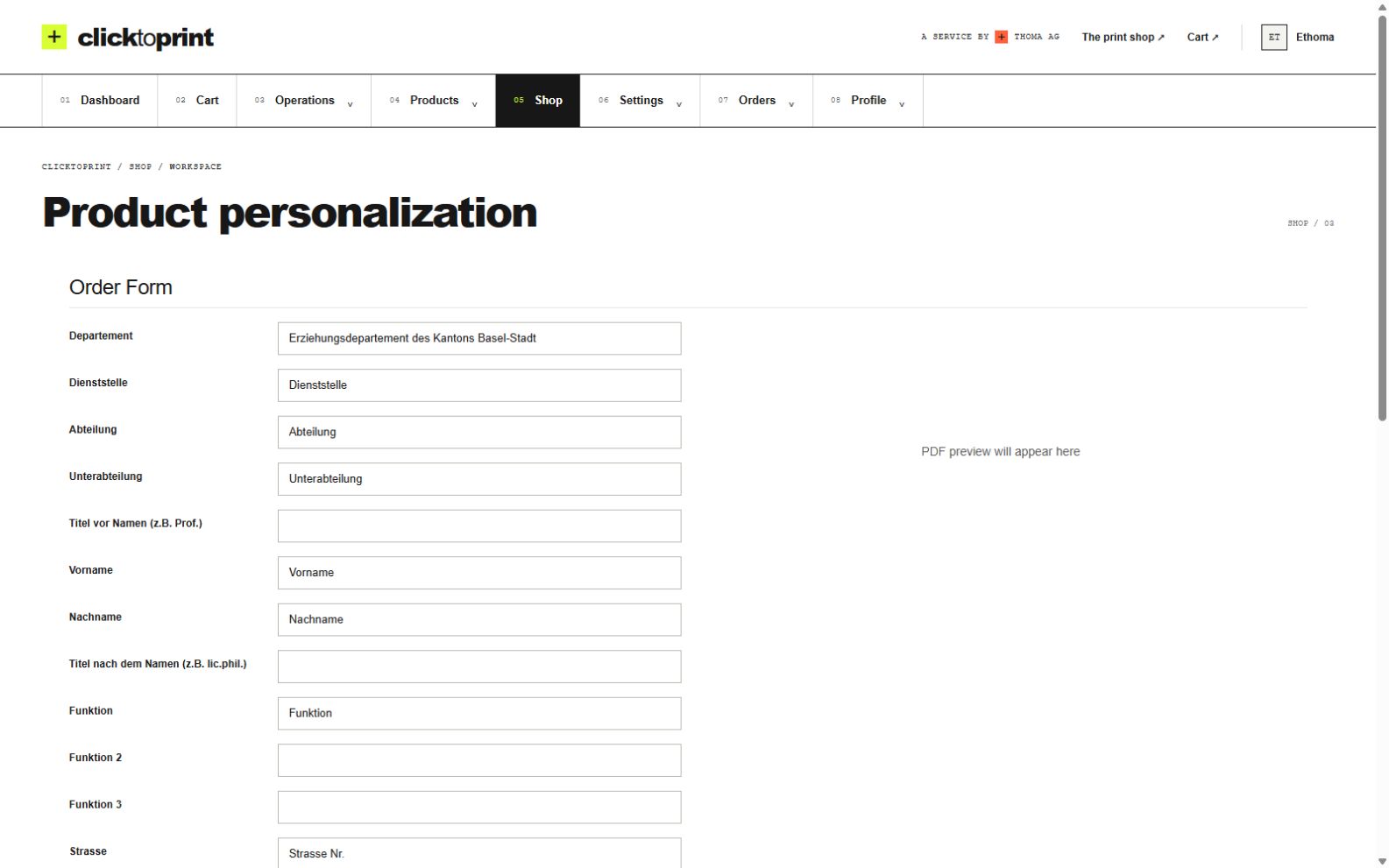
Wählen Sie Ihre freigegebene Vorlage und erfassen Sie die Details. Für mehrere personalisierte Dokumente laden Sie eine Liste hoch.
Schritt 02
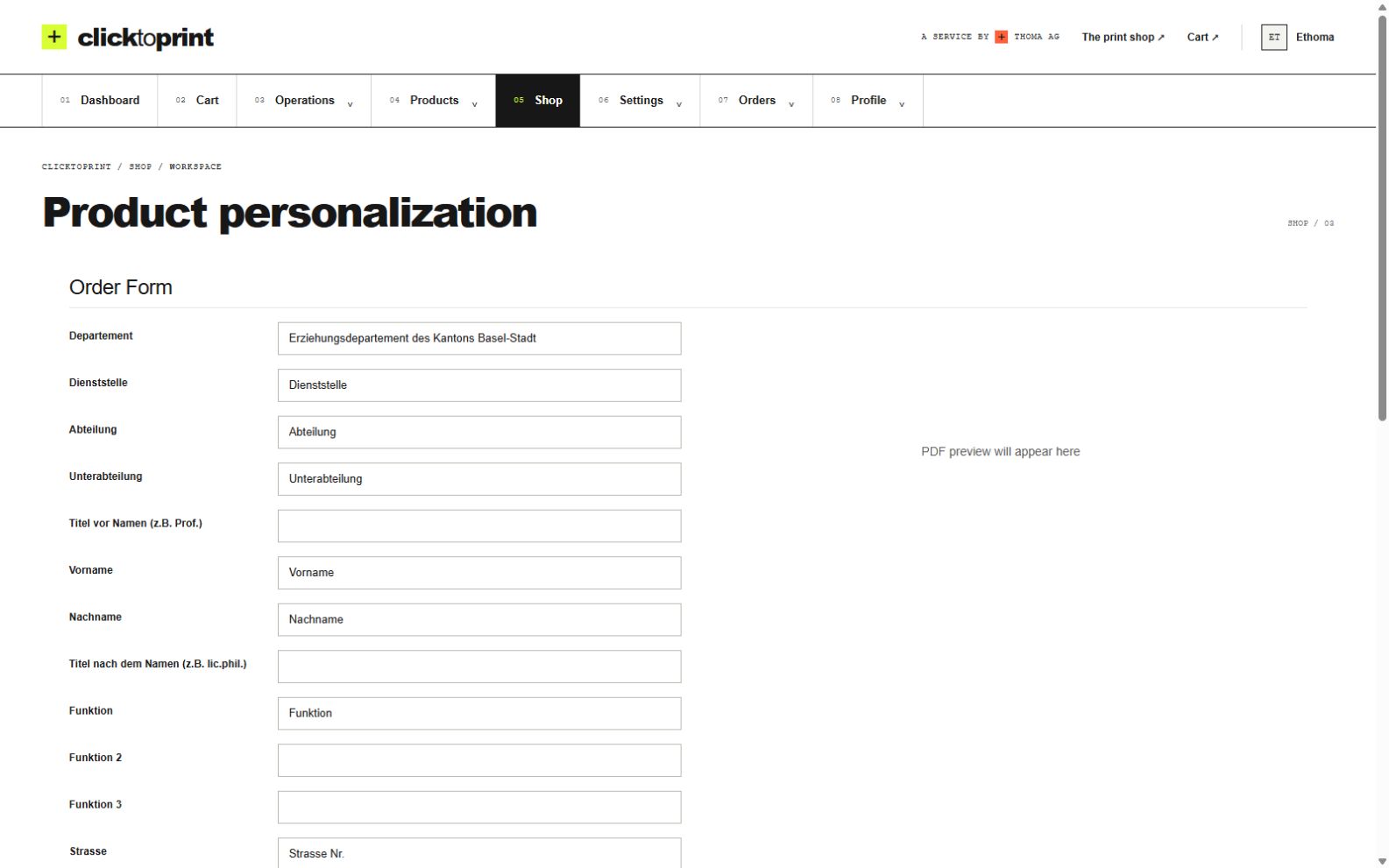
ClickToPrint erstellt aus Ihren Daten und Ihrer Vorlage ein PDF. Prüfen Sie die Vorschau und leiten Sie die Bestellung bei Bedarf zur Freigabe weiter.
Schritt 03
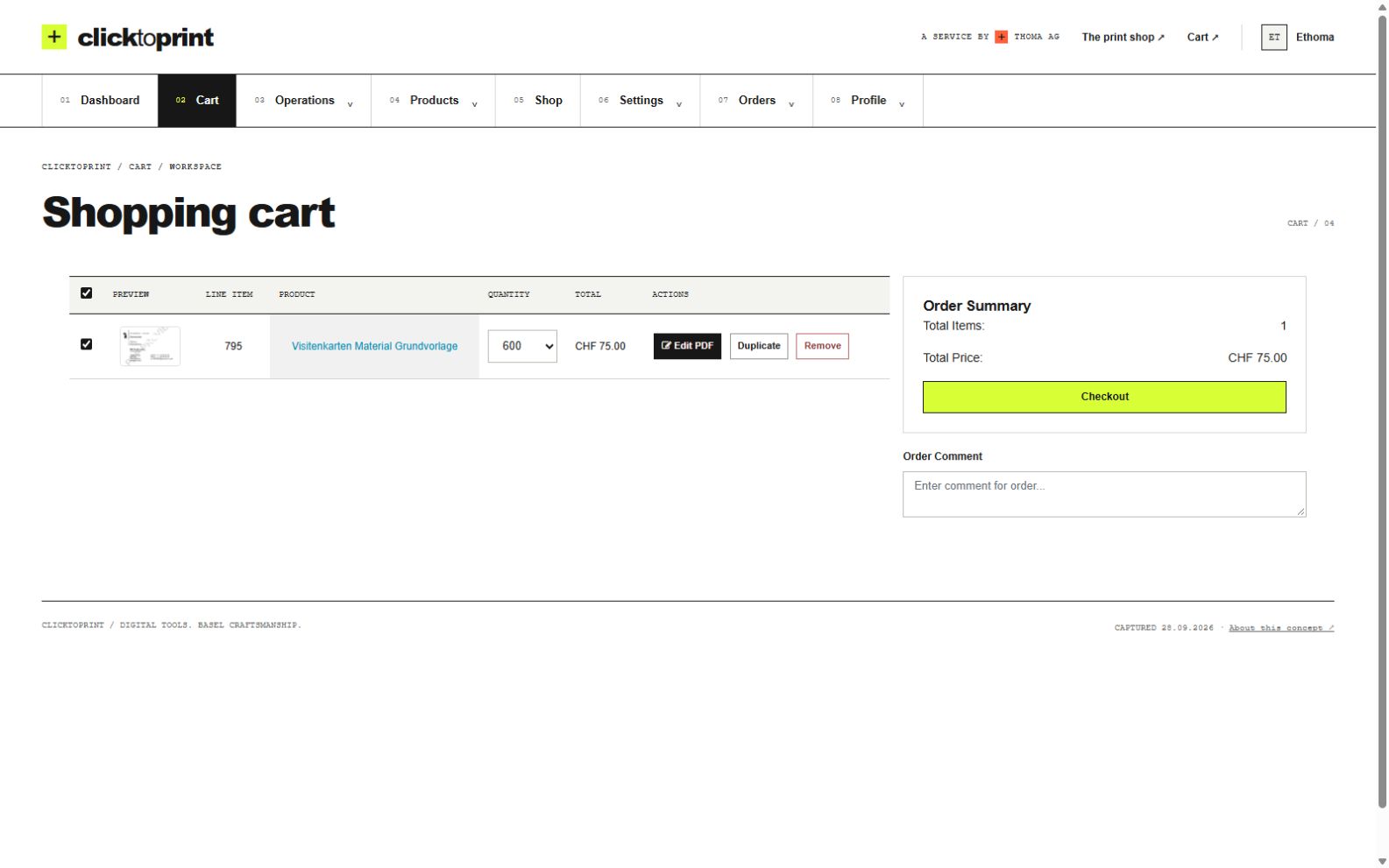
Nach der Freigabe geht Ihre Bestellung in Produktion. Wir liefern die fertigen Drucksachen. Ihr Auftrag bleibt für Nachbestellungen gespeichert.
Unsere Kunden
Diese Organisationen nutzen ClickToPrint für ihre Drucksachen im Corporate Design.





FAQ
Nein. Visitenkarten sind ein häufiger Einstieg. ClickToPrint verbindet Daten mit freigegebenen Vorlagen zu druckfertigen PDFs für personalisierte Drucksachen. Gerne besprechen wir Briefpapier, Etiketten, Standortmaterialien und weitere Dokumente für Ihren Workflow.
Ja. Mitarbeitende nutzen ein Self-Service-Bestellportal, wählen eine freigegebene Vorlage, erfassen ihre Daten und senden die Bestellung ab, ohne dass Marketing manuell E-Mails bearbeiten muss.
Ja. Vorlagen können Logos, Layout, Schriften und fixe Texte sperren. Nutzende bearbeiten nur freigegebene Felder wie Name, Funktion, Telefonnummer, E-Mail, Abteilung oder Standort.
Ja. Für ausgewählte Produkte oder Vorlagen kann eine Freigabe erforderlich sein. Indem filial- oder abteilungsspezifische Vorlagen und die zuständigen Freigabepersonen den entsprechenden Nutzenden zugewiesen werden, können verschiedene Teams unterschiedlichen Freigabewegen folgen.
Ja. Wir richten Ihren Workflow ein und übernehmen Druckproduktion und Lieferung. Ihr Team steuert alles über ClickToPrint – von der Personalisierung bis zur fertigen Bestellung.
Ja. Bestellungen können Informationen zu Abteilung, Filiale, Lieferadresse und Kostenstelle enthalten, damit Einkauf und Administration transparent bleiben.
Nein. Eine Freigabe kann für alle Bestellungen oder nur für ausgewählte Produkte und Vorlagen erforderlich sein. Produkte ohne Freigabeanforderung können direkt bestellt werden, während kontrollierte Produkte an die jeweils zugewiesene Freigabeperson weitergeleitet werden.
Alte Vorlagen können ersetzt und neue CI-konforme Vorlagen veröffentlicht werden. So bestellen Mitarbeitende und Filialen nicht mehr aus veralteten Dateien.
Nein. Ihre Organisation nutzt ein eigenes Portal mit freigegebenen Vorlagen und Zugang für Mitarbeitende, Standorte und Freigabeverantwortliche. Wir begleiten die Einrichtung und führen Ihre Druckaufträge aus.
Das hängt von der Anzahl der Vorlagen, Rollen, Freigabeprozesse und Produktionsregeln ab. Eine kurze Demo ist der schnellste Weg, die erste Version zu planen.
Erzählen Sie uns, was Sie personalisieren möchten und wie Sie heute Drucksachen bestellen. Wir zeigen Ihnen, wie ClickToPrint Ihre Daten, Ihr Design und Ihre Druckbestellungen verbindet.
Starten Sie mit einem Produkt oder einem Team. Gemeinsam finden wir die passende Einrichtung.